Every agent, one timeline
Claude Code, Codex, and Gemini events land in the same dashboard. No tab switching.
See prompts, tool calls, and stop events across every session.

Agent Watch
Remote control for AI agents
Remote control for AI coding agents
Agent Watch gives you one dashboard to see, control, and get alerts from every Claude Code, Codex, and Gemini agent you run — no matter where they are.
What you observe
Compatible with Claude Code, Codex CLI, CodexAW, and Gemini CLI.
< 1 min
to install
One command setup
Real-time
status updates
Know the moment an agent needs you
All agents
one dashboard
Claude Code, Codex, Gemini CLI
Access Agent Watch
Pick up where you left off.
See it in action
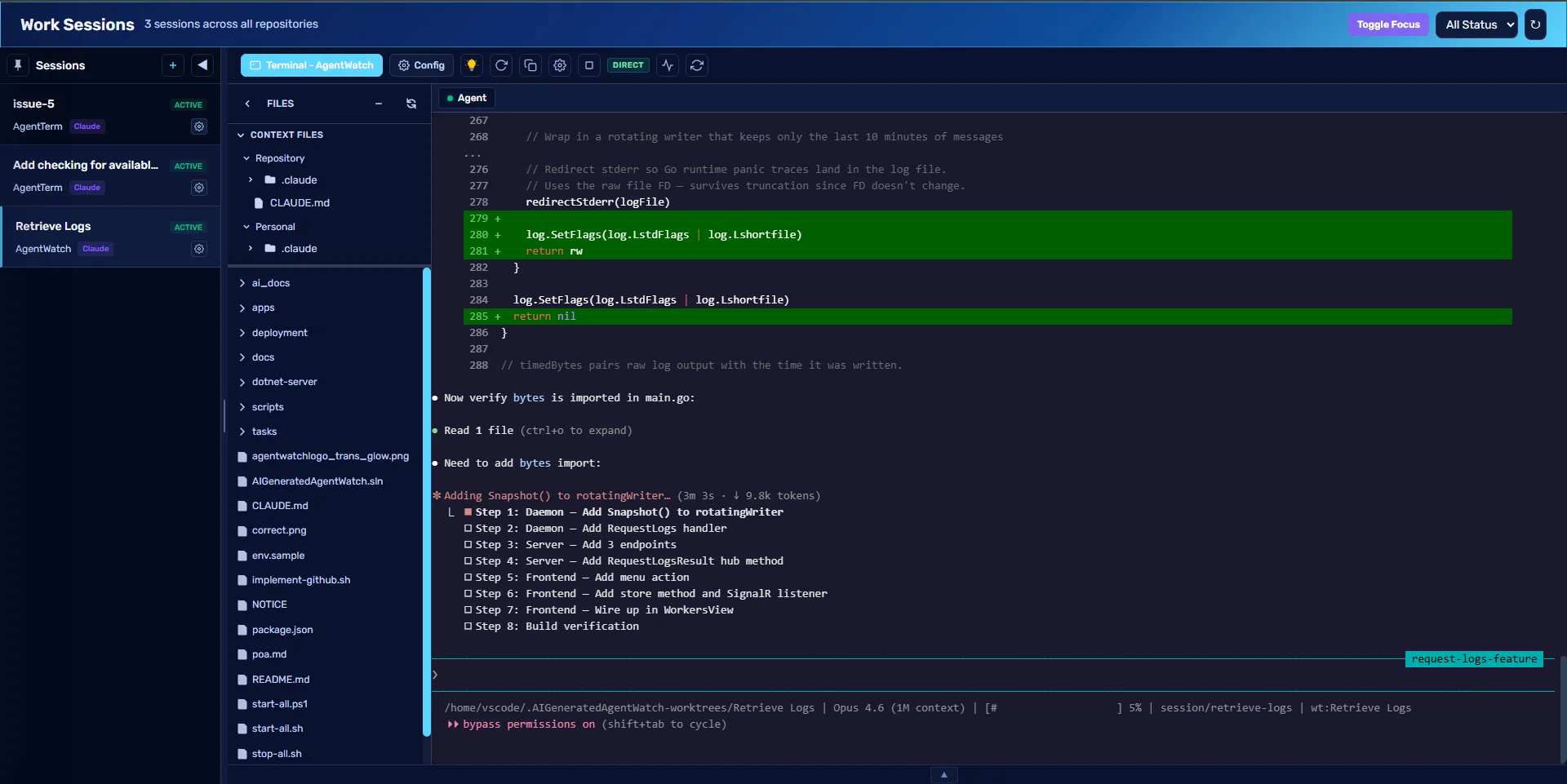
See all active sessions, who's working, and what just happened
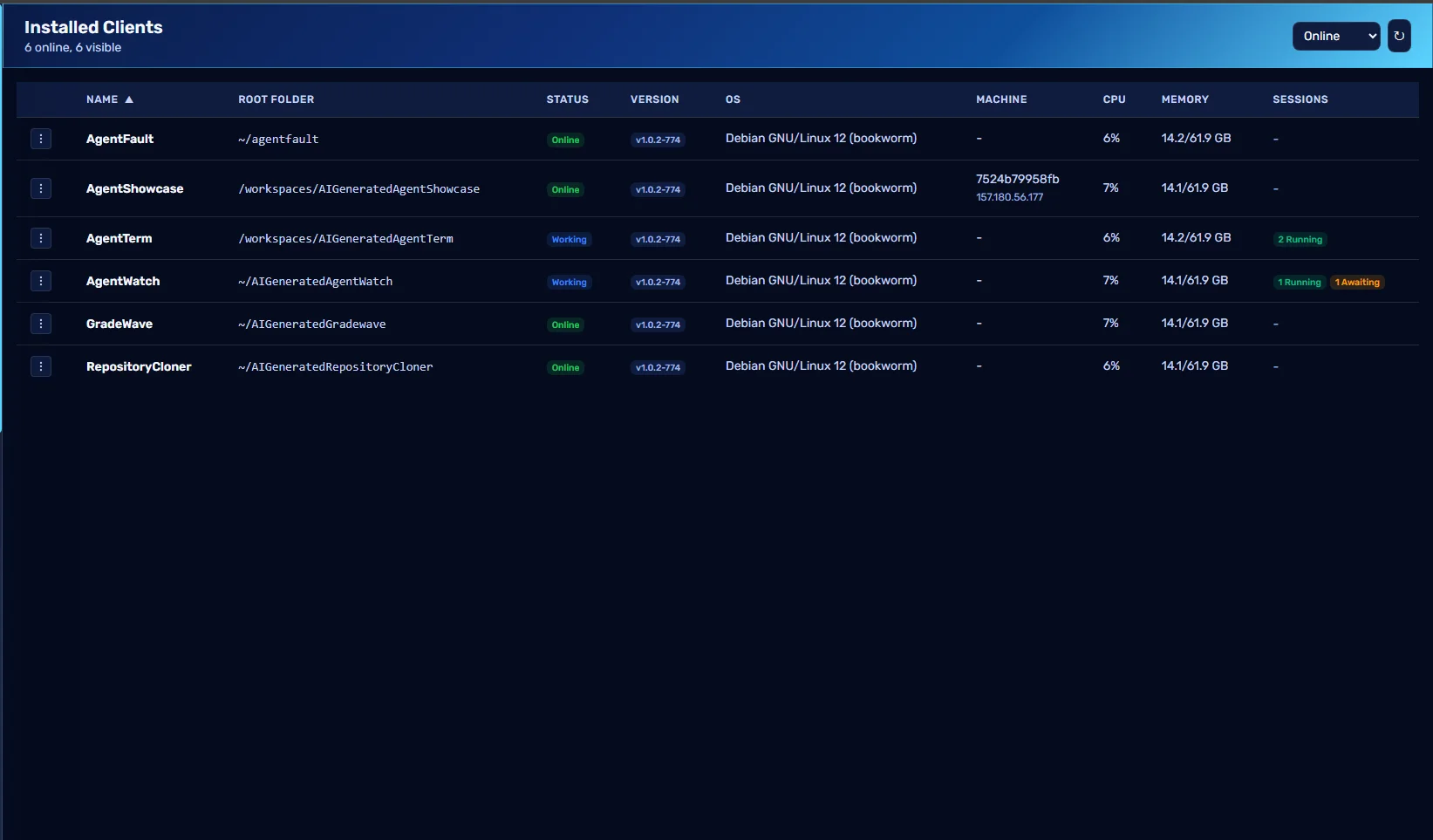
Every installed client across your machines, at a glance
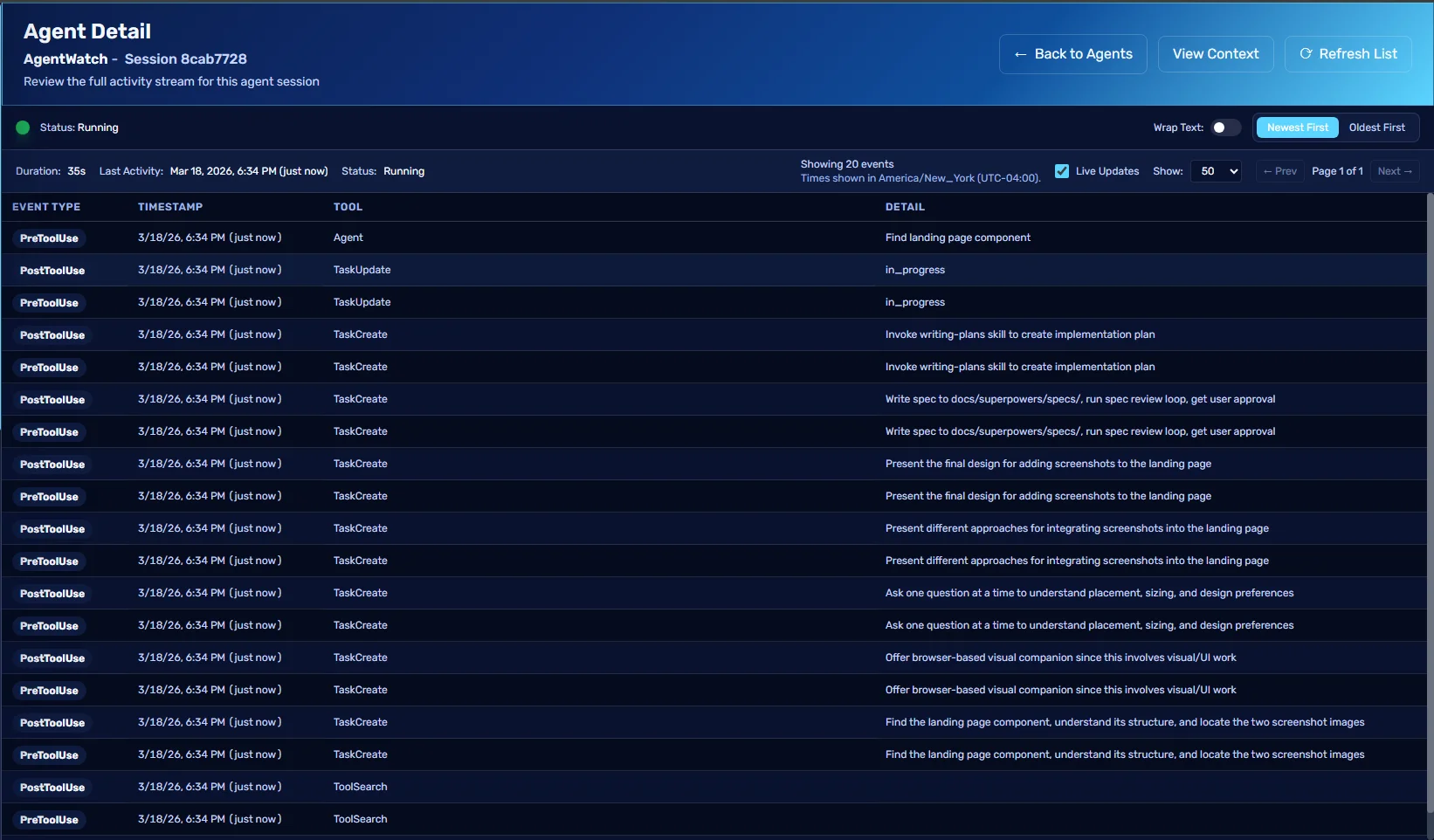
Drill into any event — prompts, tool calls, stops — in real time
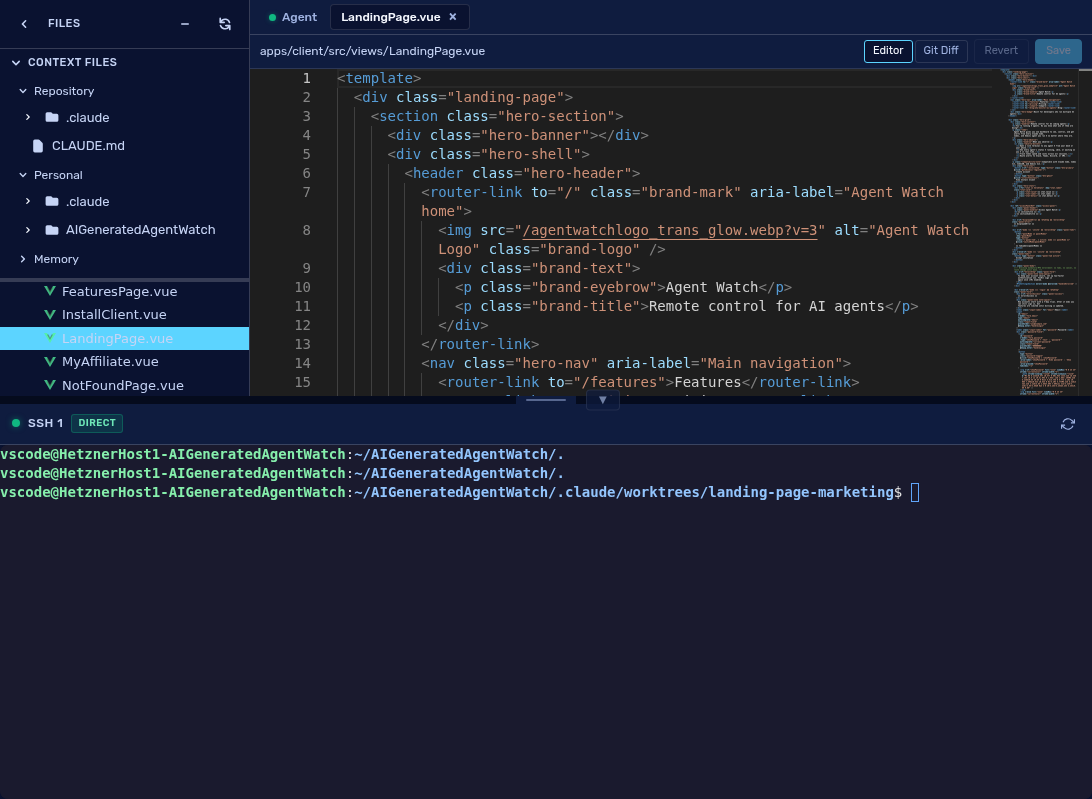
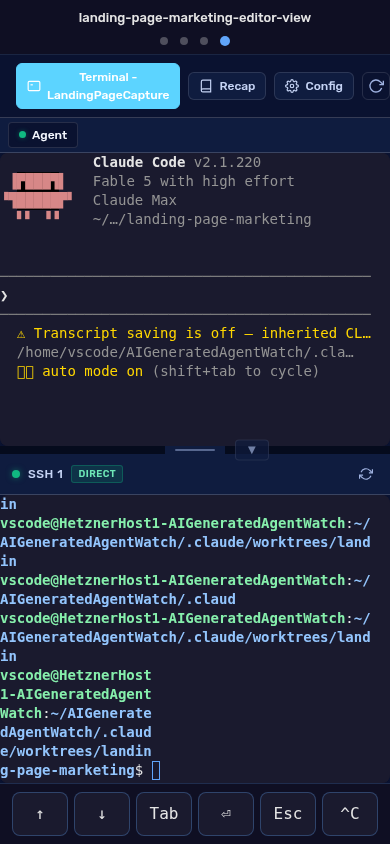
Terminal, file tree, and code editor in one workspace
Remote control
Every agent session runs in a real terminal you can open from the dashboard — or from your phone.
Alerts
Agent Watch tells the difference between an agent that is working and one that is stuck waiting for you.
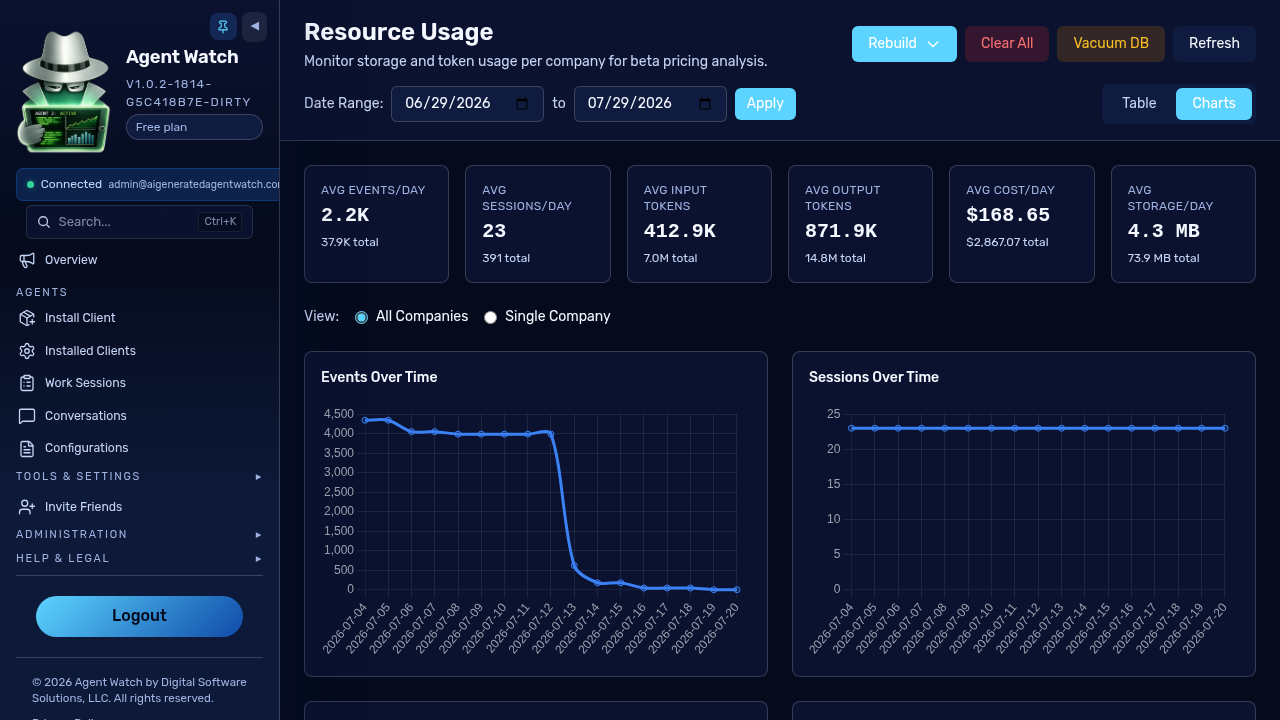
Cost tracking
Token usage is aggregated on your machine and rolled up per session, so you always know where the spend goes.
Configuration
Manage skills, rules, instructions, and slash commands in one place and sync them to every CLI in its native format.
Autonomous mode
For work you would rather delegate, the harness runs multi-agent workflows — a planner, a generator, and an evaluator — in an isolated git worktree.
For teams
One company account covers everyone — shared visibility, shared billing, and admin controls where you need them.
Install Client
One install command. No agent modifications. No local daemons. Your agents start reporting the moment the client is running.
Global install command
npm install -g https://github.com/digitalsoftwaresolutionsrepos/codex/releases/latest/download/codexaw.tgzPaste into any terminal to start monitoring your agents.
Why developers switch
Every agent you run — Claude Code, Codex, Gemini — reports to one dashboard. No more switching between terminals to check status.
Claude Code, Codex, and Gemini events land in the same dashboard. No tab switching.
See prompts, tool calls, and stop events across every session.
See which agents are running, which are idle, and which are waiting for you — instantly.
Get alerts the moment an agent needs your attention.
One global install. Then generate repo-specific installers from the dashboard.
Works on both Unix and Windows.
Ready to see all your agents in one place?
Platform highlights
Live timelines
Side-by-side session timelines let you follow what each agent is doing without switching windows.
Zero config
Install the client once. No hooks to write, no scripts to maintain, no agent modifications.
Instant alerts
Get notified via Slack, Teams, Discord, or SMS the moment an agent needs input or stops unexpectedly.
Supported sources
Claude Code, Codex CLI, and Gemini CLI — all reporting to one dashboard.
Full telemetry
Full hook telemetry. Every prompt, tool call, and stop event.
Stop events
Session tracking and completion events out of the box.
OTLP telemetry
OTLP telemetry with token usage, costs, and model breakdown.
Built and used daily
Our engineering team uses Agent Watch to manage production AI agent workflows. The same dashboard you’ll get.
3
agent CLIs supported
6
alert channels
3
platforms — macOS, Linux, Windows
Always on
sessions survive restarts
FAQ
Ready when you are
Create an account, install the client, and have visibility into every agent in under a minute.